📢 New on-demand webinar: Extend AI capabilities in M-Files without coding!  WATCH NOW

📢 New on-demand webinar: Extend AI capabilities in M-Files without coding!  WATCH NOW

Notifications
Clear all

WordWriter: No output in document

0
[#142]
Topic starter

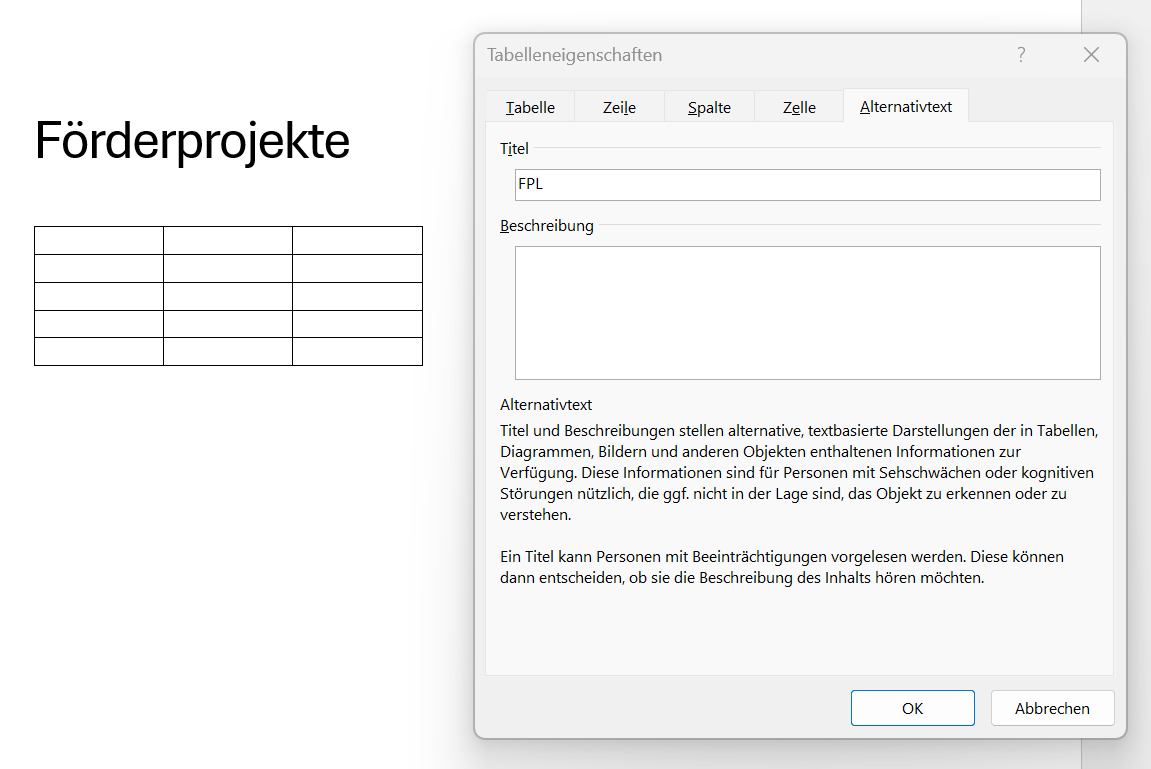
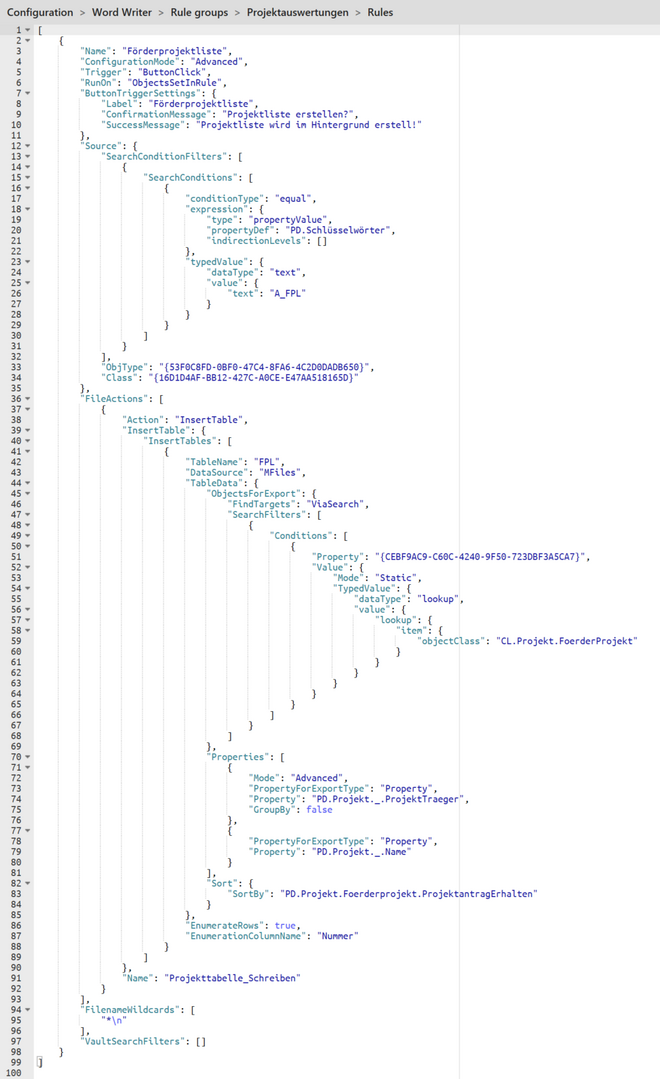
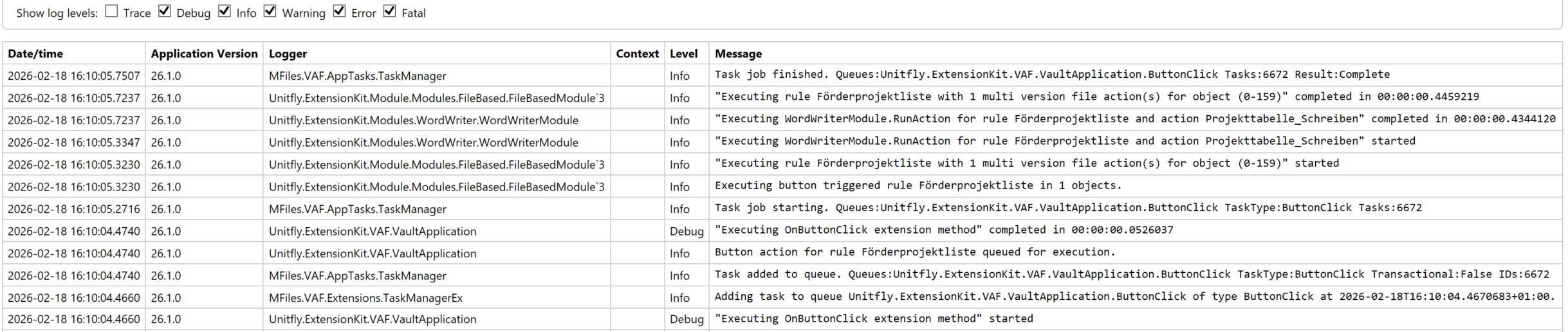
I want to use Word Writer to generate some simpel, pretty reports from M-Files objects meeting specific criteria. I created a word doc to use as a template and an Extension Kit rule to be triggered "OnButtonClick". I used the trigger source to look up the template doc, it looks like this is successful as the doc´s ID (159) is mentioned as the target object in the log. However, there is no operation performed on the document, there are no values inserted in the table and no new version of the doc greated. I must be missing something here - can anybody point me to the solution? I enclosed screenshots of the template doc, the rule configured and the debug log.

doc
config
log


5 Answers
0

Hi Alexander, 


I’ll be happy to help you with the configuration! At first glance, I can see that you have "*\n" set as the Filename Wildcard. Please make sure to remove the \n from your configuration — there should be only an asterisk (*) if you want the action to apply to any (first) file on the object.

If that doesn’t resolve the issue, please send your JSON configuration as a file or paste it here. I’ll review it and test it in our environment to help identify the problem.

 

Best regards,

Nika


0
Topic starter

Hi Nika,

oh... I overlooked that, only checked in the configuration view again and again, the \n is not visible there :-(. Works now.

Additional questions:

- Are there any options I overlooked to set the formatting of the inserted values or setting the table column width? The module seems to overwrite any preselected paragraph templates in the word table.

- In excel Writer, only single values can be inserted, there is no insert table like operation, correct?

I would be happy to serve as testing partner if you would like to evolve the word writer any further :-). It could be the perfect little reporting tool and I would be happy to share ideas of some simple enhancements to accomplish this if you are interested.

Thanks for you help!

Best regards,

Alex


0

I’m really glad it worked 😊 Thank you as well for your questions and suggestions - they’re always appreciated!

In Word Writer, there are several File actions you might consider using for formatting. Some of these are quite new, so they’re unfortunately still missing from our documentation.

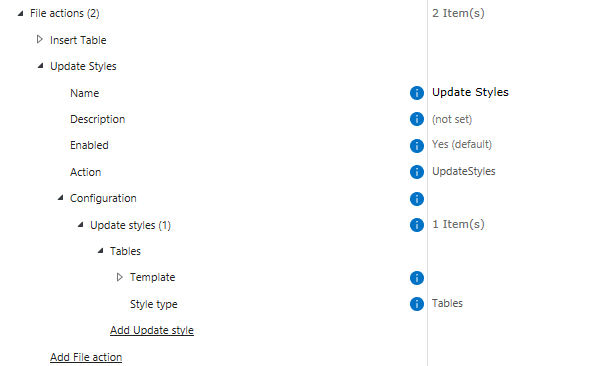
UpdateStyles can be especially helpful when you’re populating a table. All you need is a template document with predefined styles (this can be any document in the vault that you choose as a template - it doesn’t have to be an M-Files object marked specifically as a template).

You also don’t need to create a separate rule for this action - you can call it every time you use InsertTable or InsertMFilesValues:


image


If you’re looking to apply broader style updates, you can also use ApplyFullTemplate, which allows you to update a wider range of styles in one go.

Regarding Excel Writer, yes — at the moment only single values can be inserted. However, you can also copy content from one Excel file to another if that helps with your scenario.

Please feel free to share any ideas you might have! We truly value the feedback and suggestions we receive from our community.


Best regards,

Nika


This post was modified 2 months ago by Nika Tilic
0
Topic starter

I tried UpdateStyles, but I can´t get it to work. Here are the steps I took and the results I got:

  1. created a word doc with a table and a newly defined table style "AR_Tabelle" applied to that table
  2. made a copy of this doc to use as the target of the insert table action
  3. modified the table style "AR_Tabelle" in the first document to be used as the style source doc
  4. uploaded both files to M-Files
  5. triggered the rule
  6. checked the logs - no errors recorded
  7. insert of table worked as before, but the table had no applied table style anymore. Insert table action deleted the style from the table.
  8. manually applied the table style again in the target doc (should have been changed from the file action UpdateStyles)
  9. found style was not updated
  10. Then I tried with ApplyFullTemplate - same results.
  11. Then I tried with a predefined internal word table style - same results.

Conclusion: My assumptions on how this function should work must be wrong...?  Can you help me?

Best regards,

Alex


0

I apologize if I misunderstood your issue or the use case you're dealing with. After consulting with the rest of the team, it seems that the functionality you're describing is not yet available, but it is on our roadmap and planned for the near future.

The Update Styles feature that I mentioned earlier was referenced in the wrong context. It is actually used to update styles that are already predefined in the document; it cannot be used to apply a style to a table through this feature.

We consider what you are experiencing to be a bug — Word Writer rules should not override existing styles. We are planning to address and fix this by the end of Q2.

Best regards,
Nika