Automate how metadata and objects are managed in M-Files
Automatically update and calculate property values, create related objects, apply numbering and validation rules, and control permissions — all through configuration, without custom code.
Meet more metadata and object automation requirements without custom development
Configure, reuse, and adapt advanced M-Files business rules across customer projects,
without developing separate scripts for every requirement.
Automatically populate, copy, and calculate property values instead of relying on users to update records manually.
Update properties and calculate values across related objects, so that information reflects changes in the underlying records.
Validate required information, apply numbering rules, and control permissions according to defined conditions.
Automatically create objects and related structures using predefined rules and templates, reducing repetitive setup and inconsistent records.
What you can automate
Explore how Extension Kit Core extends M-Files with configurable operations for managing metadata, objects, relationships, and business rules.
Automatically populate, update, and calculate property values using M-Files data, related objects, expressions, and supported external sources.
- Set, copy, clear, append, or transform property values on objects.
- Update properties using values from related or referenced objects.
- Calculate sums, counts, and other supported values across related objects.
- Generate automatic property values using text, date, mathematical, and conditional expressions.
- Derive names, dates, and other properties from existing metadata.
- Populate M-Files properties using SQL queries or stored procedures.
Create, duplicate, and manage M-Files objects and related object structures using configurable rules and templates.
- Automatically create related objects when defined conditions are met.
- Duplicate existing objects and copy selected information.
- Create predefined sets of related objects using reusable templates.
- Populate properties and establish relationships between newly created objects.
- Delete objects based on configured conditions.
- Apply supported duplicate-detection rules to avoid repeated object creation.
Generate consistent identifiers, names, and document version labels according to predefined business rules.
- Automatically generate sequential object or document numbers.
- Define formatted numbering schemes with supported grouping and reset options.
- Generate object names from property values and expressions.
- Apply configurable major and minor document version numbering.
- Maintain business-facing version classifications alongside M-Files version history.
Check metadata and related object information before allowing defined operations to proceed.
- Validate required properties and configured business conditions.
- Check information on referenced or related objects.
- Validate hidden properties and conditions beyond standard property-card requirements.
- Prevent operations or workflow transitions when validation rules are not satisfied.
- Provide feedback when required information is missing or invalid.
Control object access and capture assignment-related information based on business context.
- Apply dynamic object permissions using configured property, user, and trigger conditions.
- Adjust permissions as object information or responsibilities change.
- Restrict access to sensitive documents or business objects according to configured rules.
- Capture assignment and approval completion information in related objects.
- Maintain structured information about completed assignment steps and participants.
Automate more than individual properties
M-Files objects are connected through relationships. Extension Kit uses these relationships to update information across records, calculate values from related objects, and create or validate linked information.
What you can build with metadata and object automation
Create related objects, tasks, and project structures using predefined templates, with the required metadata and relationships.
Explore related solutionAutomatically copy and update metadata across related objects, such as updating project team members when activity records change.
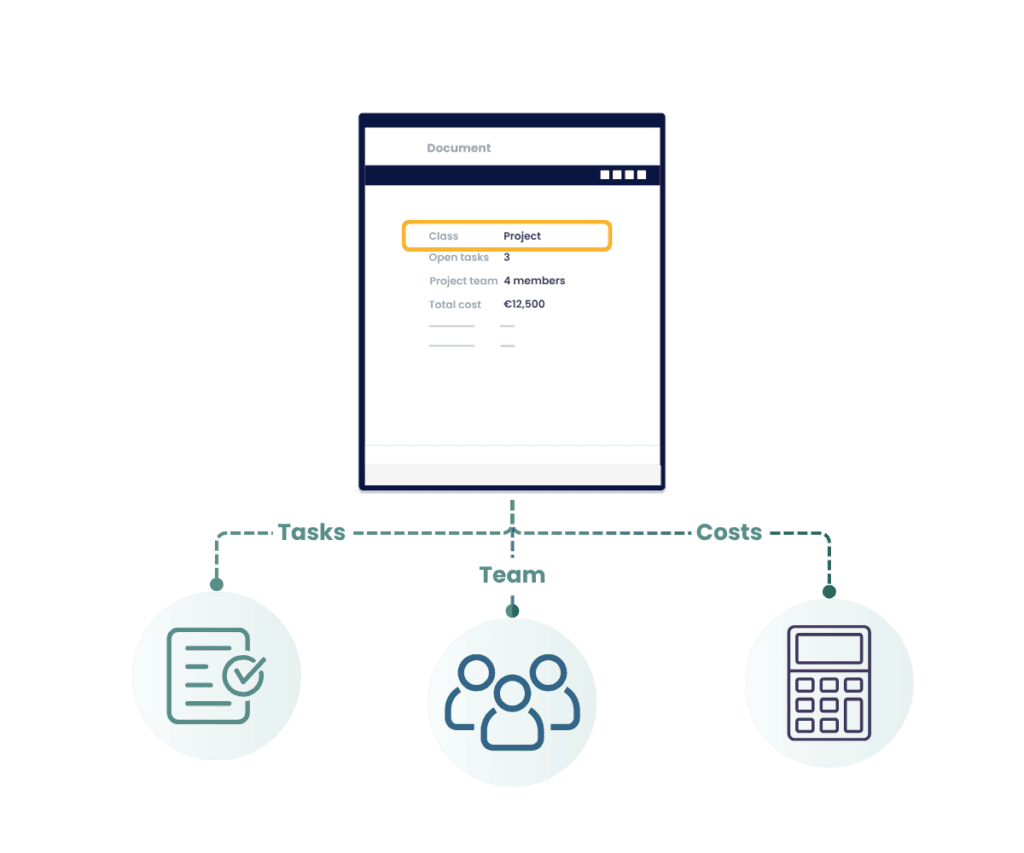
Automatically count or aggregate values from related M-Files records, such as open project tasks or total hours logged.
Explore related solutionAutomatically assign reference numbers, generate object names, and apply major or minor version labels based on predefined rules.
Check required metadata and related records before allowing a document or object to progress, preventing incomplete information from moving forward.
Explore related solutionUse date, text, math, and conditional expressions to automatically populate metadata, such as calculating days until a contract expires.
Metadata & object automation with Extension Kit Core
Extension Kit Core
Extension Kit Core provides configurable modules for automating metadata, object creation, relationships, validation, numbering, permissions, and assignment-related information in M-Files.
Relevant modules: Property Operations, Property Calculations, Extended Auto Properties, Auto Numbering Properties, Property Builder, Object Operations, Object Templates, Validation, Extended Permissions, Versioning, and Extended Assignments.
Ready to automate metadata and object management in M-Files?
From property calculations and object creation to validation and permissions, Extension Kit Core helps you deliver advanced M-Files automation without custom development.