AI in M-Files: Why extraction is only the first step
Most organizations dealing with high document volumes already know what the problem looks like.
An invoice arrives. Someone opens it, checks the values, copies data into metadata fields, then copies it again into the ERP. Occasionally, this is fast. More often, it is not — a field is missing, an amount looks wrong, a line item needs verification. Multiply that by hundreds or thousands of documents per month, and the operational cost becomes structural: delays, errors, rework, and staff time absorbed by work that should not require human attention.
This is why AI has become central to document management conversations. It is also the topic of our recent webinar on AI in M-Files — specifically, how to move AI from isolated capability to embedded workflow automation.
Where AI projects stop short
The ability to extract data from documents is well-established. AI models can read an invoice, identify relevant fields, and return structured information. They can classify files, answer questions about document content, and generate summaries on demand.
What does not follow automatically from that capability is any change to the actual operational process.
In many implementations, AI extracts the data, then a person reviews the result, corrects it, copies it somewhere, and triggers the next step manually. Which means AI reduces effort in one part of the process, while the next bottleneck remains. If the output of AI processing still requires manual handling before it enters the workflow, the process has not meaningfully changed.
The question that matters is not whether AI can extract the data. It is what happens next: which workflow changes, which metadata gets updated, which document moves to which state, and how all of this is triggered without someone manually handling the result.
The orchestration problem
M-Files has made significant progress in AI capabilities. AINO allows users to ask questions, extract metadata, and understand document content. Different agents are emerging and the platform continues to develop in this direction.
As organizations adopt AI in M-Files to handle content, what they need next is orchestration — the logic that decides when AI should run, what to do with the result, how to route documents based on AI output, and how to maintain it all without custom development every time a requirement changes.
This is where most AI initiatives start to take shape operationally. Not as a technology challenge, but as an integration and orchestration layer that connects AI outputs to real business processes. Without it, AI often ends up sitting next to the process rather than inside it.

What Extension Kit adds
Extension Kit for M-Files is a suite of add-ons developed over the last ten years to help M-Files partners and customers implement more advanced use cases through configuration rather than custom code. The core logic is built around triggers and actions, enabling implementations that are faster to deliver, easier to adjust, and more maintainable over time.
Its most widely used add-on, Extension Kit Core, follows that same architecture. In AI scenarios, when an AI service processes a document, Extension Kit handles what happens next: updating metadata, changing workflow states, routing to the correct process, and generating follow-up documents.
AI provides the intelligence; Extension Kit connects that intelligence to the business operation.
Within Extension Kit Core, the Document AI module handles AI-driven document processing cases such as classification and data extraction. At the same time, the HTTP Integration module enables connecting M-Files with external AI services, custom APIs, and internally hosted solutions without building dedicated integrations from scratch.
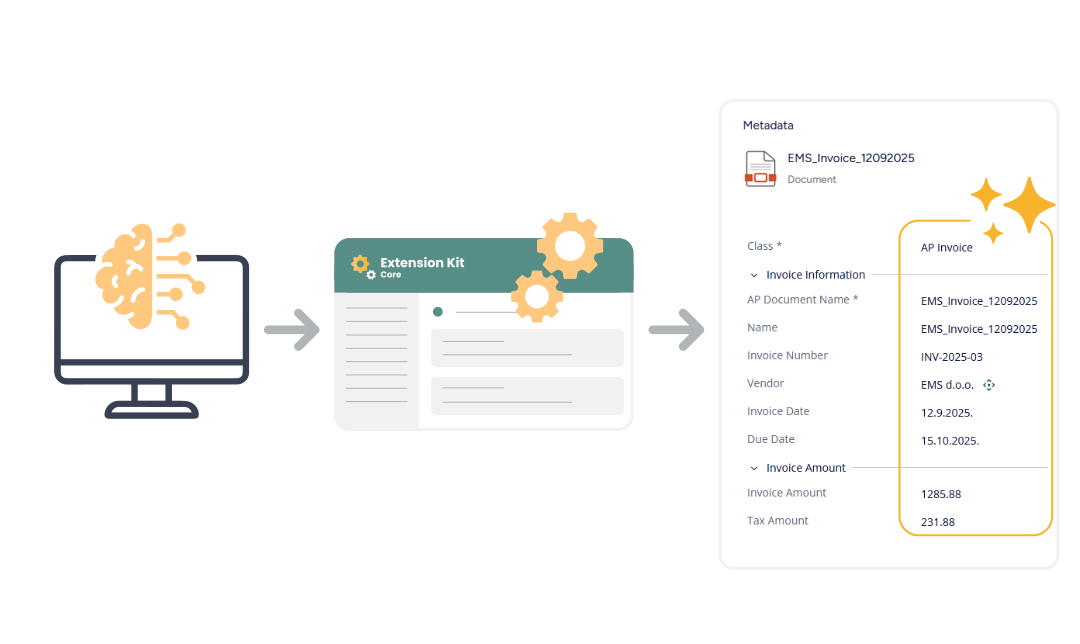
This means organizations are not locked into a single AI provider. As AI services evolve, they can change or extend their integrations without rebuilding the surrounding workflow logic.
The approach works for both self-hosted M-Files environments and M-Files Cloud.
Three scenarios from practice
The webinar covered three concrete use cases that illustrate how this works.
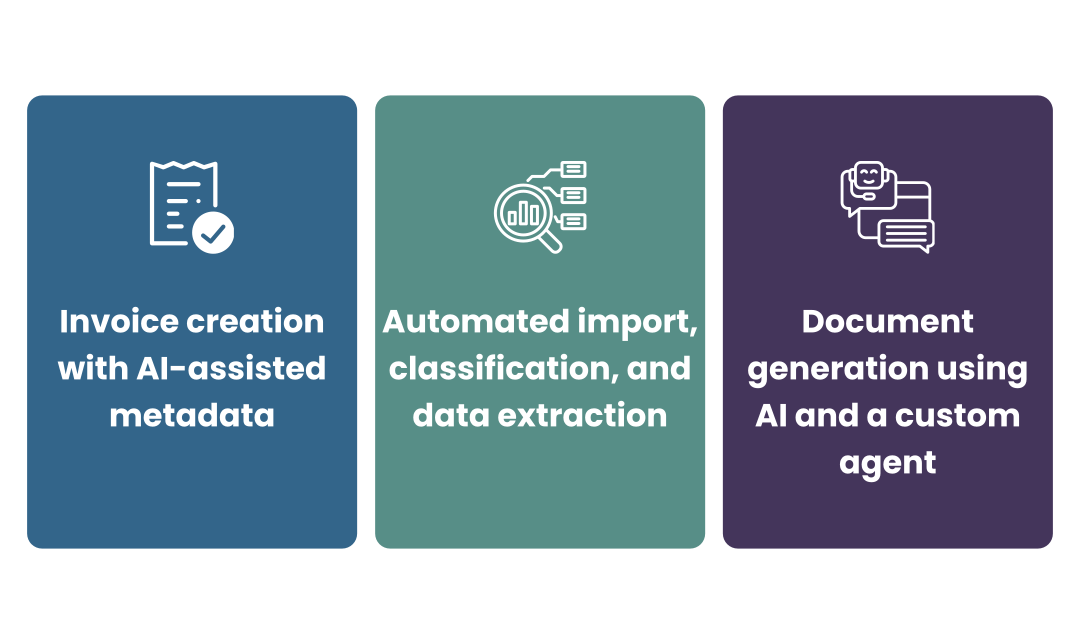
1) The first is invoice processing with AI metadata suggestions during manual creation. The user remains in control — AI suggests metadata based on document classification and content, the person reviews and confirms. This is the right approach where invoices vary significantly and full automation is not yet appropriate.
2) The second scenario involves automatic document import. When a file arrives, the Document AI module in Extension Kit Core triggers AI classification using Azure Document Intelligence to determine the document type. Based on that classification, it routes the document into the correct workflow. Once in the right workflow, AI extracts the relevant metadata using Microsoft Foundry. Classification, routing, and extraction work as a connected sequence, not three separate manual decisions. Dive deeper into these two scenarios in this blog post.
3) The third scenario focuses on a more agentic approach using the HTTP Integration module. Meeting recordings and notes are sent to a custom AI agent, which uses predefined templates to generate structured meeting documents and store them in M-Files with the appropriate metadata and structure for the business case. Learn more about this scenario in this blog post.
Why no-code matters beyond go-live
AI requirements change faster than most other implementation requirements. Models improve. Business processes shift. New document types get added to scope. Integrations need to be extended.
If the workflow logic connecting AI to M-Files is built through custom development, every one of those changes requires developer time. In practice, this makes implementations harder to adapt and more expensive to maintain than they needed to be.
When triggers, routing rules, and integration connections are configurable, adjustments can be made without rebuilding the solution. This matters not just for the initial implementation but for everything that happens after go-live, which, in enterprise environments, is often where the real complexity begins.
Conclusion
The operational value of AI in document management depends on whether AI output actually moves the process forward — automatically, without someone in the middle handling the result. The part that changes how work gets done is the orchestration layer that connects AI outputs to the right workflow, the right metadata, and the right next step.
If you want to see how this works in practice, including the three scenarios above, the full webinar recording covers each one in detail. Access the webinar here
FAQ
Does the Extension Kit replace M-Files AINO?
No. AINO and Extension Kit serve different purposes. AINO provides AI capabilities within M-Files — extraction, Q&A, content understanding. Extension Kit adds orchestration: triggering AI at the right moment, routing results into workflows, and connecting M-Files to external AI services. They are designed to work together.
What if we have a preferred AI provider or an internal AI solution?
Extension Kit is designed for this. Through the HTTP integration module, organizations can connect to any AI service that exposes a web API — including internally hosted models, custom agents, or providers outside the Microsoft ecosystem. Integration with Microsoft Foundry is available out of the box, but it is not the only option.
What does implementation typically require in terms of technical skill?
The scenarios in the webinar are built through configuration, not custom code. Partners and implementation teams familiar with M-Files and Extension Kit can set up triggers, workflow actions, and AI integrations without writing custom software, which is one of the reasons Extension Kit was developed in the first place.